 blog
blog
Best Smart Home Hubs 2026: Complete Buyer's Guide
Table of Contents
- What Makes a Smart Home Hub Worth Installing
- Matter-Compatible Smart Home Hubs: The New Standard
- Smart Home Hubs with Thread for Faster Response Times
- Understanding Smart Home Hub Compatibility Across Protocols
- Smart Home Hub vs Smart Speaker: Which Do You Actually Need
- Reliability When Internet Goes Down: Local Processing vs Cloud Control
- How to Choose the Right Smart Home Hub for Your Needs
- Frequently Asked Questions
Last Updated: October 10, 2026
What Makes a Smart Home Hub Worth Installing
A smart home hub is the central control device that connects all your wireless smart devices into one unified system. Without a hub, your devices operate independently, forcing you to open separate apps for lights, locks, thermostats, and cameras. With a hub, you create automation routines where devices communicate instantly.
The difference is dramatic. A hub lets you build scenes, press one button and your lights dim, doors lock, and security cameras arm. It enables local processing, meaning your devices respond even if your internet goes down. For most homes with more than a handful of smart devices, a hub transforms chaos into control.
We recommend evaluating whether a smart home hub fits your situation based on three factors: how many devices you plan to connect, which ecosystems you prefer, and whether you want local automation or cloud-only control. The right hub depends on your priorities, but the wrong choice creates frustration and wasted money.
Matter-Compatible Smart Home Hubs: The New Standard
Matter is the new universal standard for smart home devices. Rather than forcing you into one ecosystem, Matter-compatible smart home hubs let you mix brands freely. A Philips light works with an Apple hub, which works with a Samsung lock, which works with an Amazon device.
This changes everything about how you build a smart home. Previously, choosing a hub meant committing to that ecosystem's devices. Matter breaks those walls down. If you're starting fresh or planning to expand, prioritizing Matter compatibility removes a major constraint later.
The best smart home hubs released in 2026 all support Matter. This wasn't true two years ago. Today, it's the baseline. Any hub you're considering should have Matter built in, if it doesn't, you're limiting your options unnecessarily.
Smart Home Hubs with Thread for Faster Response Times
Thread is a mesh networking protocol that makes your smart home hub faster and more reliable. Instead of every device communicating directly with the hub over Wi-Fi or Zigbee, Thread devices create a mesh network where they relay signals through each other.
The practical benefit: your devices respond instantly. A Thread-enabled smart home hub with Thread devices feels snappier than Wi-Fi alternatives. The mesh also means a device in your garage can communicate reliably even if it's far from the hub, because other Thread devices relay the signal.
Not all smart home hubs support Thread yet, but the premium options do. If response speed matters to you, especially for lighting or door locks, Thread is worth the investment. For basic temperature or humidity sensors, the difference is negligible.
Understanding Smart Home Hub Compatibility Across Protocols
Your smart home hub must speak the language of your devices. Different protocols handle communication differently. Most hubs support multiple protocols, but understanding which ones matters for your setup.
Zigbee and Z-Wave Support
Zigbee and Z-Wave are low-power wireless protocols designed for smart home devices. They use less battery than Wi-Fi and create mesh networks where devices relay signals through each other.
Zigbee is more common in consumer devices. Z-Wave is popular in security systems and professional installations. If you already own Zigbee devices, your hub needs Zigbee support. Same logic for Z-Wave.
Many smart home hubs support both, giving you flexibility. Some support only one. Check your existing devices before choosing a hub, incompatibility is expensive to fix.
Wi-Fi and Bluetooth Devices
Wi-Fi-connected devices don't need a hub to function, but a hub can still control them. Bluetooth devices require either a hub with Bluetooth or a separate Bluetooth bridge.
The tradeoff: Wi-Fi devices drain batteries faster but offer broader compatibility. Bluetooth devices last longer on batteries but have shorter range. Most smart home hubs support both Wi-Fi and Bluetooth control, letting you mix both types.
Smart Home Hub vs Smart Speaker: Which Do You Actually Need
A smart speaker plays music and answers voice questions. A smart home hub controls your devices and runs local automation. They're different tools serving different purposes.
Many people confuse them because some products do both. An Echo Show with a hub built in can play music and control lights. But a basic Echo speaker cannot run local automations, it relies on Amazon's cloud.
Here's the decision rule: if you want voice control only and don't mind cloud delays, a smart speaker suffices. If you want fast local automation, scenes that work offline, or reliable device control, you need a dedicated hub. Many people buy both, a speaker for voice and a hub for automation.
Reliability When Internet Goes Down: Local Processing vs Cloud Control
This is where smart home hubs prove their worth, and where most buying guides get vague. "Local processing" is a marketing phrase, not a specification. Two hubs can both claim it and behave completely differently the moment your internet drops.
Here is what actually happens when the connection fails, broken down by layer:
- Hub-to-device control (local radios): If the hub talks to a device over Zigbee, Z-Wave, Thread, or a local Wi-Fi/Matter path, the hub can still send on/off, dim, lock, and setpoint commands. This works with no internet.
- Automations stored on the hub: Routines that live on the hub, motion triggers a light, door unlocks at 7 a.m., thermostat drops at bedtime, keep running. Routines stored in the vendor's cloud stop dead.
- Voice assistants: Alexa, Google Assistant, and Siri all route most voice requests through the cloud. Expect voice control to fail or degrade during an outage even on a "local" hub.
- Remote access: The phone app almost always needs the cloud to reach your home from outside. Local control usually only works while you're on the same network.
- Cloud-dependent devices: A Wi-Fi lock or camera that authenticates through a vendor server may go offline even though your hub is fine. The hub can't fix a device that refuses to work locally.
How to verify a hub's real offline behavior before you buy:
- Check whether the manufacturer publishes an offline-automation matrix. Brands that support it usually document which triggers and actions run locally.
- Look for community reports of "internet down" tests on the hub's support forum or subreddit, real users post these regularly.
- Confirm whether the hub has a local web interface or local API. Hubs with a documented local API (common on open-platform hubs) are the most predictable offline.
- Ask whether the hub caches schedules and scenes on-device or fetches them at runtime.
A repeatable outage test you can run yourself:
- Build three routines: one time-based (lights on at sunset), one sensor-based (motion triggers a light), and one voice-triggered.
- Unplug your modem and router's WAN connection, leave the local network running.
- Trigger each routine and note which fire, how fast, and whether the app still shows device state.
- Reboot the hub while offline and see whether it comes back up and keeps running automations.
- Restore the connection and check whether anything needed to be re-paired or re-authenticated.
A hub that passes the first three checks but fails the reboot test is a hub that will strand you during a real outage. That distinction matters more than any spec-sheet feature, because the whole reason to buy a hub is that your home keeps working when something upstream doesn't.
How to Choose the Right Smart Home Hub for Your Needs
Start by listing your current devices and the ones you plan to buy, then check which protocols each uses: Zigbee, Z-Wave, Wi-Fi, Bluetooth, Thread, or Matter. Your hub must support the protocols your devices need. That's the baseline.
The four cost layers most buyers miss:
- The hub itself. Entry hubs often sit in the impulse-buy range; premium hubs with multiple radios and local processing cost several times more. Neither is automatically right, the question is which features you'll actually use.
- Required bridges and dongles. Some ecosystems need a separate bridge for Zigbee, Z-Wave, or Thread. A hub that looks cheap can require one or two add-on radios to match a competitor's built-in support.
- Subscriptions. Cloud recording, advanced automations, cellular backup, and some voice features are gated behind monthly or annual plans. A hub with a low price and a mandatory subscription can cost more over three years than a premium hub with no fees.
- Compatible-device premium. Devices certified for one ecosystem sometimes cost more than the same function on a more open protocol. Over a whole house, that premium adds up faster than the hub price difference.
Then weigh the trade-offs that no hub wins on simultaneously:
- Local processing vs. cloud convenience. Local hubs are faster and outage-resilient but often have smaller device catalogs and less polished apps. Cloud-first hubs have broader compatibility and richer features but depend on the vendor staying online and in business.
- Ecosystem lock-in vs. openness. A single-ecosystem hub gives you the smoothest experience with that brand's devices. A Matter-and-Thread-forward hub lets you mix brands but pushes more setup and troubleshooting onto you.
- Voice control vs. privacy. Voice-first hubs are the most convenient for households with kids or guests. Privacy-forward hubs keep more processing on-device but may limit which assistants you can use.
- Setup complexity vs. control. Plug-and-play hubs get you running in an afternoon. Open-platform hubs reward tinkerers with deeper automations but expect you to read documentation.
Longevity check before you buy:
Ask three questions about software support. How long has the manufacturer committed to security updates? How often do firmware releases ship? Has the company ever discontinued a hub line and left owners stranded?
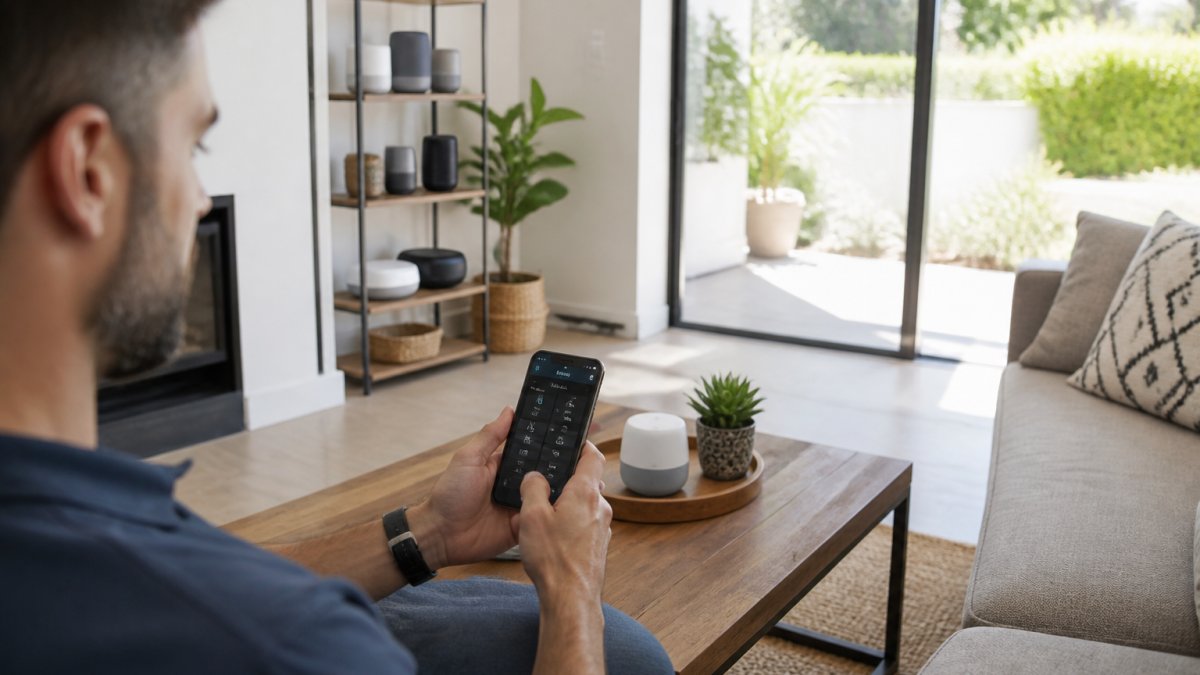
At T6 Electrical Contractor, we help homeowners evaluate these decisions during personalized consultations. Many clients discover they need electrical upgrades, additional outlets, network improvements, or power considerations.
| Feature | Matters Most For | Consider |
|---|---|---|
| Matter support | Future-proofing | All hubs should have it in 2026 |
| Thread support | Fast response times | Premium hubs only |
| Local processing | Offline reliability | Check specifications carefully |
| Protocol support | Device compatibility | Match your existing devices |
| Voice control | Convenience | Built into most hubs |
| Setup complexity | Ease of installation | Varies widely by brand |
| Subscription cost | Long-term value | Can exceed hub price over 3 years |
| Bridge requirements | Hidden hardware cost | Some hubs need add-on radios |
| Update policy | Security and longevity | Ask how long support is committed |
Frequently Asked Questions
Do I need a smart home hub if I have a smart speaker?
A smart speaker offers voice control but lacks the local processing and advanced automation that a dedicated smart home hub provides. Hubs handle device pairing, automation routines, and scenes independently of the internet. If you want reliable offline control and faster response times between devices, a hub is worth adding. A smart speaker alone works for basic voice commands but limits your ecosystem flexibility.
Which smart home hubs support Matter and Thread?
Matter and Thread compatibility is becoming standard on newer smart home hubs. Thread creates a mesh network that improves device responsiveness, while Matter ensures cross-brand device compatibility. Check each hub's specifications for Matter certification and Thread border router capability. Not all hubs support both, so verify compatibility with your existing devices before purchasing. This matters most if you're building a multi-brand ecosystem.
Can one smart home hub control devices from different brands?
Yes, if the hub supports multiple protocols like Zigbee, Z-Wave, Matter, and Wi-Fi. Device compatibility depends on the hub's supported protocols, not the hub brand. A hub supporting Matter works with certified devices from any manufacturer. Zigbee and Z-Wave hubs work with devices using those same protocols. Before choosing a hub, verify it supports the protocols your existing devices use and the brands you plan to add.
Do smart home hubs work without an internet connection?
Most hubs offer local processing, meaning automation routines and device control continue working offline. However, remote access from outside your home requires internet. Cloud-dependent features like voice assistant integration or cloud-based scenes stop working during outages. If reliability during internet loss is critical, choose a hub with strong local processing capabilities. This is especially important for essential automation like lighting and door locks.